Essential Apps for Central Students

Image
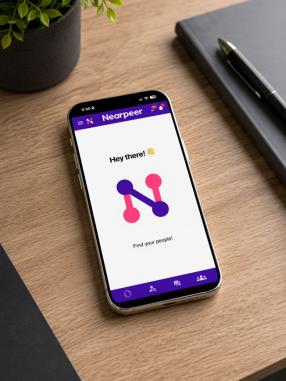
Nearpeer App Logo

Ready to Find your People?

Find students like you and make new friends on Nearpeer!

FAQs

  • WHAT IS NEARPEER? 

    At Central Connecticut State University, we believe that building strong connections is key to a successful college experience. That’s why we are excited to introduce and invite our newly confirmed first year and transfer students to join NearPeer to build connections with other Central students who share your interests, academic goals and personal background. Nearpeer is the Platform for Belonging and empowers students to organically create dozens of rich, meaningful friendships with their peers early in their college journeys. We meet students where they are – on their mobile devices – to help them “find their people” and be more committed, prepared, resilient, and likely to succeed.

  • HOW DOES THE NEARPEER APP WORK? 

    The NearPeer App student engagement platform helps students find peers based on over 3,600 peer-matching criteria, including similar interests, passions, hobbies, goals, identities, career aspirations, affinities, clubs, majors, and hometowns. Nearpeer’s multi-dimensional approach is proven to break down silos and bring students together, reducing loneliness, isolation, and anxiety in the process.

  • HOW TO DOWNLOAD THE NEARPEER APP 

    1. Download the Nearpeer app from Apple App Store / Google Play and sign up with your Central email address that you use to access your email and Central Pipeline to Create your account.
    2. Create your Profile
      Complete your Profile and fill out basic information about your major, interests and background- this helps NearPeer connect you with other likeminded Blue Devils!
    3. Search other Central students "like you"
      based on shared interests, majors, hobbies, life experiences and backgrounds.
      OR
      Find & Join Groups
      Explore different groups based on academic programs, hobbies, clubs or campus organizations. Joining a group lets you chat with other students who share your interests or goals.
    4. Start Connecting
      Send a friendly “hello” message, look for a future roommate, or simply see who’s in your incoming class. Start building your Central Peer group today.
  • APPS TO DOWNLOAD BEFORE ORIENTATION 

    • Multi-Factor Authentication: Required for accessing your Central email and Office 365 account. Adds an extra layer of security when signing in.
    • LiveSafeApp: A campus safety app that allows you to contact Central Police, share your location with friends, report concerns, and access emergency resources.
    • Corq: Explore campus events and student organizations. Log in using your BlueNet credentials and select Central Connecticut State University.
  • CAMPUS RESOURCE APPS 

    • RECentral: Access recreation center facilities, register for fitness classes, view schedules, and check occupancy in real time.
    • Handshake: Find internships, part-time jobs, and career opportunities connected to Central’s career services.
  • TOOLS FOR SUCCESS 

    Bookmark/Favorite these on your mobile devices to access during the semester

    • CentralPulse: Discover internships, volunteer opportunities, events, and experiential learning both on and off campus.
    • Blackboard Learn: Access course materials, assignments, and class communications in one place.
    • Microsoft Office Suite: Use Word, Excel, PowerPoint, and more through your Central account.
    • Microsoft Teams: Collaborate with classmates and instructors through chat, meetings, and file sharing.
    • Knack: Book free, course-specific peer tutoring sessions with fellow Central students.