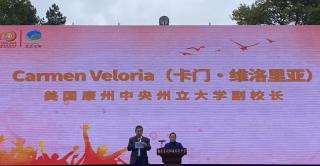
Central delegation travels to China to celebrate C.J. Huang


The procedure and request forms described below are used for classroom and lab budgeting and planning.
Please use this form to request the purchase of software for classroom or lab use. If you have specialized software that has been installed in the past, do not assume it will still be there next Fall. Please request it again so that we are aware of your needs. This form should be used for new purchases, upgrade costs, and maintenance costs. Please submit one form per software title requested. The information gathered is important in the IT planning process for next academic year. The requests gathered via this process will be reviewed and prioritized by a subcommittee of the ITC (Faculty Senate Information Technology Committee). The subcommittee will make recommendations to the CIO and Provost for consideration in the FY 2027-2028 budget.
IMPORTANT NOTE: New software funding requests will be considered if resources allow. Upgrades and maintenance costs necessary for the continuance of curriculum take precedent. However, due to budget cuts, no request/upgrade is guaranteed.
All software funding requests need to be submitted by Friday, October 30, 2026 to be considered for next fiscal year, which begins July 1, 2027. Due to budget cuts, none of the requests are guaranteed to be funded, and pursuit of alternative funding means is encouraged. Please detail the purpose and importance of the software for curriculum: every request is going to be looked over in detail to evaluate needs.
A checklist to aid in preparation of requests is provided below: Incomplete requests cannot be evaluated and will not be funded. Accurate pricing information is particularly important. If you need assistance to figure out licensing or get a vendor quote to accompany your request, please submit all other information at least two weeks before the deadline, and IT will assist you in determining appropriate licensing and obtaining a quote before the deadline.
If a license for the software you are requesting needs to be installed on a faculty computer for testing and course preparation, please include details about that need in the request.
How to Request Software Funding
Complete the Classroom/Lab Request for Funding - Software form with as much detail as possible, and make sure you “Submit” when done (you will receive a confirmation email with a Service Request number). Again, all information is important for evaluation of your request, including as accurate of a price estimate/quote as possible. While quotes may change during contract negotiations with vendors, requests need to demonstrate appropriate research effort by the faculty member pursuing the request, in order to be funded.
Please use this form to request the purchase of hardware, lab equipment, or other technology for classroom and/or student lab use. This form should be used for new purchases only. Please submit one form for each request. The information gathered will be reviewed and prioritized by a subcommittee of the ITC (Faculty Senate Information Technology Committee). The subcommittee will make recommendations to the CIO and Provost for consideration in the FY 2027-2028 budget.
Hardware requests are reviewed on a rolling basis, with the first round reviewed and prioritized by a subcommittee of the ITC at the same time as software requests. Requests received after the Friday, October 30th deadline may have to wait an additional budget cycle (i.e., the following year).
When submitting your request, be sure to detail the need for the equipment and its importance in your curriculum. A checklist to aid in preparation of requests is provided below. Incomplete requests cannot be evaluated and will not be funded. Accurate pricing information is particularly important. If you need assistance to get a vendor quote, please submit all other information pertaining to your request at least two weeks before the deadline, and IT will assist you in obtaining a quote before the deadline.
How to Request Hardware Funding
Complete the Classroom/Lab Request for Funding - Hardware form with as much detail as possible and make sure you “Submit” when done (you will receive a confirmation email with a Service Request number). Again, all information is important for evaluation of your request, including as accurate of a price estimate/quote as possible. While quotes may change during contract negotiations with vendors, requests need to demonstrate appropriate research effort by the faculty member pursuing the request, in order to be funded.
Use the following checklist as you prepare your funding request(s), to ensure you have all required information:
Complete the Software Installation Request for Classroom and Labs form to have freeware or software you purchased separately installed in a classroom or lab. The request must be submitted at least three weeks in advance of when it is needed. This timeframe gives IT a chance to thoroughly evaluate the software, ensure it will work well in our environment, and install it to classroom computers at a time when the classroom is not in use.